.svg)

Beginner's Guide to Web Scheduler for Flooring Companies
.webp)
Why Every Flooring Business Needs a Web Scheduler
A web scheduler for flooring companies is a cloud-based tool that replaces whiteboards, spreadsheets, and text threads with a centralized digital calendar where you can assign crews, track job status, and manage multi-day installations in real time.
Here's what a web scheduler does for flooring businesses:
- Assigns installers to jobs based on availability and skill set
- Tracks multi-day projects across phases like measure, prep, install, and punch list
- Sends automated notifications to crews and customers when schedules change
- Gives field installers mobile access to job details, directions, and documents
- Syncs updates instantly between the office and the job site
The U.S. flooring installer market reached $33.8 billion in 2025, and employment in the trade is projected to grow through 2032. More jobs means more crews, more scheduling complexity, and more room for things to go wrong.
Most flooring businesses today still manage their schedules the same way they did a decade ago — a mix of whiteboards, group texts, paper calendars, and phone calls. That works fine until a job runs long, a material gets delayed, or an installer calls in sick. Then everything unravels fast.
Office managers scramble to notify customers. Crews show up to jobs that aren't ready. Double bookings slip through. And the person answering the phone has no idea what's actually happening on any given job site.
A web scheduler solves all of that from one place.
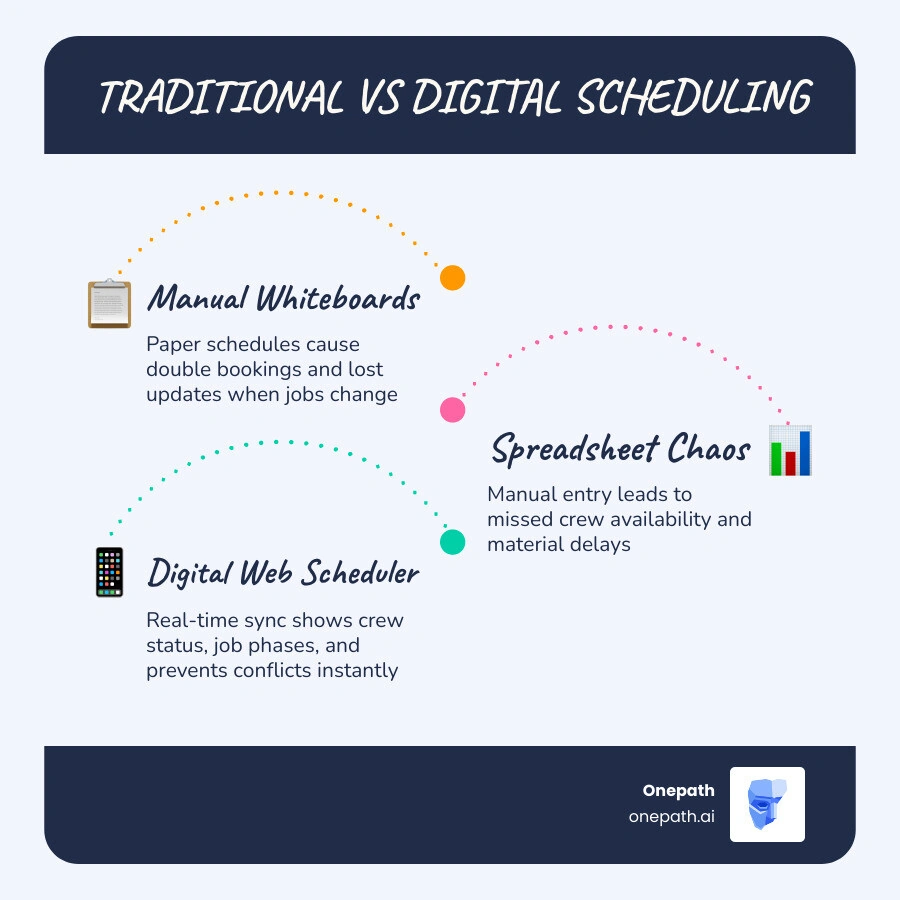
Web scheduler for flooring companies definitions:
What is a Web Scheduler for Flooring Companies?
At its core, a web scheduler for flooring companies is more than just a digital calendar. It is a specialized coordination hub designed to handle the unique lifecycles of flooring installation. Unlike general appointment bookers that schedule single-hour visits, a flooring-specific Web Scheduler handles multi-day, multi-phase projects where materials, crew skills, and subfloor conditions all dictate the timeline.

When you use a Web Scheduler for Home Services tailored to the flooring industry, your office dispatchers gain a bird's-eye view of your entire operation. They can view schedules by crew, region, or job status, and make adjustments instantly. Because it is cloud-based, any drag-and-drop change made in the office updates the installer’s mobile view in real time.
How Digital Scheduling Differs from Traditional Whiteboards
Let’s face it: the physical whiteboard in your office looks impressive with its colorful dry-erase markers, but it is a liability. It cannot send a text message to an installer. It cannot alert you that the hardwood hasn't acclimated yet. And it certainly cannot show your field technicians their site layouts while they are driving to a job.
Traditional whiteboards and static spreadsheets create information silos. If an office manager updates a spreadsheet on their local desktop, the installation crew remains in the dark until someone remembers to call or text them. This lag inevitably leads to manual errors, accidental double bookings, and the classic "spreadsheet chaos" where multiple versions of the schedule exist at once.
A centralized web scheduler acts as a single source of truth. The moment a booking is confirmed, it is synchronized across all devices. If an appointment is moved, the system automatically shifts dependent tasks and sends real-time updates to everyone involved.
Why Your Business Needs a Dedicated Web Scheduler for Flooring Companies
Flooring is a complex trade. You aren't just showing up to clean a carpet; you are managing material deliveries, subfloor preparation, acclimation times, and multi-day installations.
If you schedule a hardwood installation before the subfloor is tested for moisture, or before the wood has acclimated to the home’s climate, the entire project will fail. A general scheduling app does not understand these dependencies. A dedicated web scheduler allows you to link tasks together. For example, you can set a rule that the "Installation Phase" cannot begin until 72 hours after the "Material Delivery Phase" to guarantee proper acclimation.
By tracking these dependencies and monitoring installer availability, your business can maximize crew utilization and ensure your teams are always on the right job site with the right materials. To learn more about setting up these custom booking workflows, check out our Ultimate AI Appointment Booking Guide Flooring.
Key Features to Look For in Flooring Scheduling Software
When shopping for the perfect scheduling system, it is easy to get distracted by flashy, unnecessary features. For a flooring business, you need practical tools that directly improve office-to-field communication and project efficiency.
The right platform should simplify your day-to-day operations by keeping your field crews and office staff perfectly aligned. For a deep dive into how modern automation can handle these bookings for you, read our AI Appointment Booking Assistance Complete Guide.
Drag-and-Drop Calendars and Multi-Day Project Management
Your schedule is dynamic. Customers reschedule, shipments get delayed, and jobs run long. A drag-and-drop calendar allows your dispatcher to reschedule a multi-day project in seconds. Instead of opening multiple calendar entries and manually changing dates, they can simply click, drag, and drop the entire job block to a new slot.
Additionally, the calendar must support multi-day project management. A typical tile shower or hardwood layout spans several days and includes distinct phases:
- Day 1: Subfloor prep, leveling, and layout planning.
- Day 2-3: Tile or plank installation.
- Day 4: Grouting, trim work, and final walkthrough.
A web scheduler displays this entire span clearly, allowing you to assign different specialists (e.g., a prep crew vs. a master installer) to different phases of the same job.
Mobile Access and Real-Time Field Communication
Your installers spend their days on their knees, not behind desks. They need a mobile-friendly portal where they can view their assigned jobs, get GPS directions, and read specific site notes (such as "dog on site" or "use back entrance").
Real-time field communication features allow installers to:
- Upload Photos: Take pictures of subfloor issues before starting, or document the beautiful finished product for quality control.
- Capture Digital Signatures: Have the homeowner sign off on the final walkthrough directly on a tablet or phone, triggering the invoicing process immediately.
- Update Job Status: Tap "In Progress" or "Job Completed" so the office knows exactly where the crew is without having to call them.
Business Benefits of Implementing a Web Scheduler
Transitioning to automated, web-based scheduling delivers immediate returns for both your sanity and your bottom line.
| Feature / Metric | Traditional Manual Scheduling | Automated Web Scheduling |
|---|---|---|
| Data Entry | Manual paper logs, text messages, spreadsheets | Centralized digital entry, auto-sync |
| Crew Dispatching | Phone calls, morning paper handoffs | Real-time mobile notifications & GPS routing |
| Multi-Day Tracking | Disconnected calendar blocks | Connected, multi-phase project timelines |
| Customer Reminders | Manual phone calls (often forgotten) | Automated text and email reminders |
| Photo & Signature Capture | Physical paperwork, personal phone cameras | Direct mobile upload to the customer file |
By automating these manual processes, you can significantly Increase Conversion Rates on your quotes because your team can promise accurate, reliable installation dates right at the point of sale.
Reducing Project Delays and Improving Crew Utilization
A major source of lost revenue in the flooring industry is "dry runs"—when a crew arrives at a job site only to find that the materials haven't arrived, or the subfloor is still damp.
A web scheduler acts as a gatekeeper. By requiring checklist confirmations (e.g., "Have materials been delivered?" and "Has subfloor moisture been tested?") before a job is dispatched, you eliminate wasted trips. If a delay does occur, your dispatcher can see who is available in real time and reroute the idle crew to another active job, keeping your labor utilization high.
Integrating Your Web Scheduler for Flooring Companies with Other Business Tools
A web scheduler is most powerful when it talks to the rest of your business. By connecting your scheduler to a robust CRM, your inventory management software, and your accounting platform, you create a seamless operational pipeline.
For instance, when a customer accepts a quote in your CRM, the system can automatically create a pending installation job in your web scheduler. If you integrate with AI Lead Management Solutions, an AI assistant can automatically follow up with the lead to book their in-home measure.
Furthermore, combining your scheduler with Automated Lead Engagement Follow Up systems ensures that if a customer requests a quote but hesitates to schedule, automated, personalized sequences keep your business top-of-mind. You can also deploy Estimate Recapture Software to automatically reach out to past quotes that never scheduled their installations, bringing lost revenue back through your doors.
Future Trends in Flooring Scheduling Technology
As we navigate 2026, the technology landscape for home services is evolving rapidly. The next generation of scheduling tools is moving away from manual input and toward intelligent automation.
- AI-Driven Smart Dispatching: Future schedulers will automatically analyze crew locations, skill levels, and historical job speeds to recommend the absolute best installer for a specific luxury vinyl plank or custom tile project.
- 24/7 Self-Service Online Booking: Homeowners expect convenience. Integrating an online booking widget on your website allows customers to schedule their own initial measurement consultations based on your real-time availability. To capture these leads across all platforms, consult our Multi Channel Lead Capture Guide.
- Proactive AI Assistants: AI tools are now capable of handling complex customer scheduling requests via text or email without human intervention. Discover how these technologies are changing the landscape in our guide on AI for Home Services Contractors.
Frequently Asked Questions about Flooring Scheduling
How does a web scheduler handle multi-day flooring installations?
A dedicated web scheduler allows you to group multiple days of work into a single, cohesive project block. You can schedule connected phases—such as day one for prep, days two and three for laying hardwood, and day four for transitions and trim. The calendar displays this entire span, ensuring the same crew (or specialized crews) are locked in for the duration of the project.
Can installers update job status directly from the field?
Yes. Through mobile-responsive portals or dedicated field apps, installers can tap to update their status (e.g., "Arrived," "In Progress," "Completed"). They can also upload photos of the subfloor prep, note any site issues, and collect the customer's digital signature upon completion, instantly notifying the office.
How does automated scheduling prevent double-bookings?
Because the scheduler is connected to a single, real-time database, it instantly checks installer availability before allowing a new appointment to be booked. If a dispatcher tries to assign a crew to two jobs at the same time, the system will trigger an automated conflict alert and block the action.
Streamline Your Flooring Operations with Onepath
Managing a busy flooring company requires keeping a dozen moving parts in perfect alignment. From the moment a lead comes in to the final transition piece being nailed down, you need a system that ensures nothing slips through the cracks.
At Onepath, we provide an AI Lead Manager and all-in-one CRM built specifically to help home service and trade businesses thrive. We help you eliminate scheduling headaches, instantly respond to incoming leads, and manage your entire customer journey from a single, intuitive platform.
With our rapid 72-hour setup, full customer journey visibility, and 24/7 human support, we make sure your office runs smoothly while your crews stay busy in the field.
Ready to eliminate the whiteboard chaos and scale your business predictably? Streamline your flooring business with Onepath's AI Sales Assistant today!

Why Every Flooring Business Needs a Web Scheduler
A web scheduler for flooring companies is a cloud-based tool that replaces whiteboards, spreadsheets, and text threads with a centralized digital calendar where you can assign crews, track job status, and manage multi-day installations in real time.
Here's what a web scheduler does for flooring businesses:
- Assigns installers to jobs based on availability and skill set
- Tracks multi-day projects across phases like measure, prep, install, and punch list
- Sends automated notifications to crews and customers when schedules change
- Gives field installers mobile access to job details, directions, and documents
- Syncs updates instantly between the office and the job site
The U.S. flooring installer market reached $33.8 billion in 2025, and employment in the trade is projected to grow through 2032. More jobs means more crews, more scheduling complexity, and more room for things to go wrong.
Most flooring businesses today still manage their schedules the same way they did a decade ago — a mix of whiteboards, group texts, paper calendars, and phone calls. That works fine until a job runs long, a material gets delayed, or an installer calls in sick. Then everything unravels fast.
Office managers scramble to notify customers. Crews show up to jobs that aren't ready. Double bookings slip through. And the person answering the phone has no idea what's actually happening on any given job site.
A web scheduler solves all of that from one place.
Web scheduler for flooring companies definitions:
What is a Web Scheduler for Flooring Companies?
At its core, a web scheduler for flooring companies is more than just a digital calendar. It is a specialized coordination hub designed to handle the unique lifecycles of flooring installation. Unlike general appointment bookers that schedule single-hour visits, a flooring-specific Web Scheduler handles multi-day, multi-phase projects where materials, crew skills, and subfloor conditions all dictate the timeline.
When you use a Web Scheduler for Home Services tailored to the flooring industry, your office dispatchers gain a bird's-eye view of your entire operation. They can view schedules by crew, region, or job status, and make adjustments instantly. Because it is cloud-based, any drag-and-drop change made in the office updates the installer’s mobile view in real time.
How Digital Scheduling Differs from Traditional Whiteboards
Let’s face it: the physical whiteboard in your office looks impressive with its colorful dry-erase markers, but it is a liability. It cannot send a text message to an installer. It cannot alert you that the hardwood hasn't acclimated yet. And it certainly cannot show your field technicians their site layouts while they are driving to a job.
Traditional whiteboards and static spreadsheets create information silos. If an office manager updates a spreadsheet on their local desktop, the installation crew remains in the dark until someone remembers to call or text them. This lag inevitably leads to manual errors, accidental double bookings, and the classic "spreadsheet chaos" where multiple versions of the schedule exist at once.
A centralized web scheduler acts as a single source of truth. The moment a booking is confirmed, it is synchronized across all devices. If an appointment is moved, the system automatically shifts dependent tasks and sends real-time updates to everyone involved.
Why Your Business Needs a Dedicated Web Scheduler for Flooring Companies
Flooring is a complex trade. You aren't just showing up to clean a carpet; you are managing material deliveries, subfloor preparation, acclimation times, and multi-day installations.
If you schedule a hardwood installation before the subfloor is tested for moisture, or before the wood has acclimated to the home’s climate, the entire project will fail. A general scheduling app does not understand these dependencies. A dedicated web scheduler allows you to link tasks together. For example, you can set a rule that the "Installation Phase" cannot begin until 72 hours after the "Material Delivery Phase" to guarantee proper acclimation.
By tracking these dependencies and monitoring installer availability, your business can maximize crew utilization and ensure your teams are always on the right job site with the right materials. To learn more about setting up these custom booking workflows, check out our Ultimate AI Appointment Booking Guide Flooring.
Key Features to Look For in Flooring Scheduling Software
When shopping for the perfect scheduling system, it is easy to get distracted by flashy, unnecessary features. For a flooring business, you need practical tools that directly improve office-to-field communication and project efficiency.
The right platform should simplify your day-to-day operations by keeping your field crews and office staff perfectly aligned. For a deep dive into how modern automation can handle these bookings for you, read our AI Appointment Booking Assistance Complete Guide.
Drag-and-Drop Calendars and Multi-Day Project Management
Your schedule is dynamic. Customers reschedule, shipments get delayed, and jobs run long. A drag-and-drop calendar allows your dispatcher to reschedule a multi-day project in seconds. Instead of opening multiple calendar entries and manually changing dates, they can simply click, drag, and drop the entire job block to a new slot.
Additionally, the calendar must support multi-day project management. A typical tile shower or hardwood layout spans several days and includes distinct phases:
- Day 1: Subfloor prep, leveling, and layout planning.
- Day 2-3: Tile or plank installation.
- Day 4: Grouting, trim work, and final walkthrough.
A web scheduler displays this entire span clearly, allowing you to assign different specialists (e.g., a prep crew vs. a master installer) to different phases of the same job.
Mobile Access and Real-Time Field Communication
Your installers spend their days on their knees, not behind desks. They need a mobile-friendly portal where they can view their assigned jobs, get GPS directions, and read specific site notes (such as "dog on site" or "use back entrance").
Real-time field communication features allow installers to:
- Upload Photos: Take pictures of subfloor issues before starting, or document the beautiful finished product for quality control.
- Capture Digital Signatures: Have the homeowner sign off on the final walkthrough directly on a tablet or phone, triggering the invoicing process immediately.
- Update Job Status: Tap "In Progress" or "Job Completed" so the office knows exactly where the crew is without having to call them.
Business Benefits of Implementing a Web Scheduler
Transitioning to automated, web-based scheduling delivers immediate returns for both your sanity and your bottom line.
| Feature / Metric | Traditional Manual Scheduling | Automated Web Scheduling |
|---|---|---|
| Data Entry | Manual paper logs, text messages, spreadsheets | Centralized digital entry, auto-sync |
| Crew Dispatching | Phone calls, morning paper handoffs | Real-time mobile notifications & GPS routing |
| Multi-Day Tracking | Disconnected calendar blocks | Connected, multi-phase project timelines |
| Customer Reminders | Manual phone calls (often forgotten) | Automated text and email reminders |
| Photo & Signature Capture | Physical paperwork, personal phone cameras | Direct mobile upload to the customer file |
By automating these manual processes, you can significantly Increase Conversion Rates on your quotes because your team can promise accurate, reliable installation dates right at the point of sale.
Reducing Project Delays and Improving Crew Utilization
A major source of lost revenue in the flooring industry is "dry runs"—when a crew arrives at a job site only to find that the materials haven't arrived, or the subfloor is still damp.
A web scheduler acts as a gatekeeper. By requiring checklist confirmations (e.g., "Have materials been delivered?" and "Has subfloor moisture been tested?") before a job is dispatched, you eliminate wasted trips. If a delay does occur, your dispatcher can see who is available in real time and reroute the idle crew to another active job, keeping your labor utilization high.
Integrating Your Web Scheduler for Flooring Companies with Other Business Tools
A web scheduler is most powerful when it talks to the rest of your business. By connecting your scheduler to a robust CRM, your inventory management software, and your accounting platform, you create a seamless operational pipeline.
For instance, when a customer accepts a quote in your CRM, the system can automatically create a pending installation job in your web scheduler. If you integrate with AI Lead Management Solutions, an AI assistant can automatically follow up with the lead to book their in-home measure.
Furthermore, combining your scheduler with Automated Lead Engagement Follow Up systems ensures that if a customer requests a quote but hesitates to schedule, automated, personalized sequences keep your business top-of-mind. You can also deploy Estimate Recapture Software to automatically reach out to past quotes that never scheduled their installations, bringing lost revenue back through your doors.
Future Trends in Flooring Scheduling Technology
As we navigate 2026, the technology landscape for home services is evolving rapidly. The next generation of scheduling tools is moving away from manual input and toward intelligent automation.
- AI-Driven Smart Dispatching: Future schedulers will automatically analyze crew locations, skill levels, and historical job speeds to recommend the absolute best installer for a specific luxury vinyl plank or custom tile project.
- 24/7 Self-Service Online Booking: Homeowners expect convenience. Integrating an online booking widget on your website allows customers to schedule their own initial measurement consultations based on your real-time availability. To capture these leads across all platforms, consult our Multi Channel Lead Capture Guide.
- Proactive AI Assistants: AI tools are now capable of handling complex customer scheduling requests via text or email without human intervention. Discover how these technologies are changing the landscape in our guide on AI for Home Services Contractors.
Frequently Asked Questions about Flooring Scheduling
How does a web scheduler handle multi-day flooring installations?
A dedicated web scheduler allows you to group multiple days of work into a single, cohesive project block. You can schedule connected phases—such as day one for prep, days two and three for laying hardwood, and day four for transitions and trim. The calendar displays this entire span, ensuring the same crew (or specialized crews) are locked in for the duration of the project.
Can installers update job status directly from the field?
Yes. Through mobile-responsive portals or dedicated field apps, installers can tap to update their status (e.g., "Arrived," "In Progress," "Completed"). They can also upload photos of the subfloor prep, note any site issues, and collect the customer's digital signature upon completion, instantly notifying the office.
How does automated scheduling prevent double-bookings?
Because the scheduler is connected to a single, real-time database, it instantly checks installer availability before allowing a new appointment to be booked. If a dispatcher tries to assign a crew to two jobs at the same time, the system will trigger an automated conflict alert and block the action.
Streamline Your Flooring Operations with Onepath
Managing a busy flooring company requires keeping a dozen moving parts in perfect alignment. From the moment a lead comes in to the final transition piece being nailed down, you need a system that ensures nothing slips through the cracks.
At Onepath, we provide an AI Lead Manager and all-in-one CRM built specifically to help home service and trade businesses thrive. We help you eliminate scheduling headaches, instantly respond to incoming leads, and manage your entire customer journey from a single, intuitive platform.
With our rapid 72-hour setup, full customer journey visibility, and 24/7 human support, we make sure your office runs smoothly while your crews stay busy in the field.
Ready to eliminate the whiteboard chaos and scale your business predictably? Streamline your flooring business with Onepath's AI Sales Assistant today!
Boost Your Lead Conversions. Start Using Onepath Today.
Onepath is your AI Lead Manager, built by tech experts and home service pros. It responds instantly, schedules appointments, personalizes customer interactions, and ensures no lead slips through the cracks—backed by 24/7 human support.
[ Schedule Discovery call ].webp)