.svg)

The Ultimate Guide to Zapier Automation Integration
.webp)
Why Zapier Automation Integration Is a Game-Changer for Growing Businesses
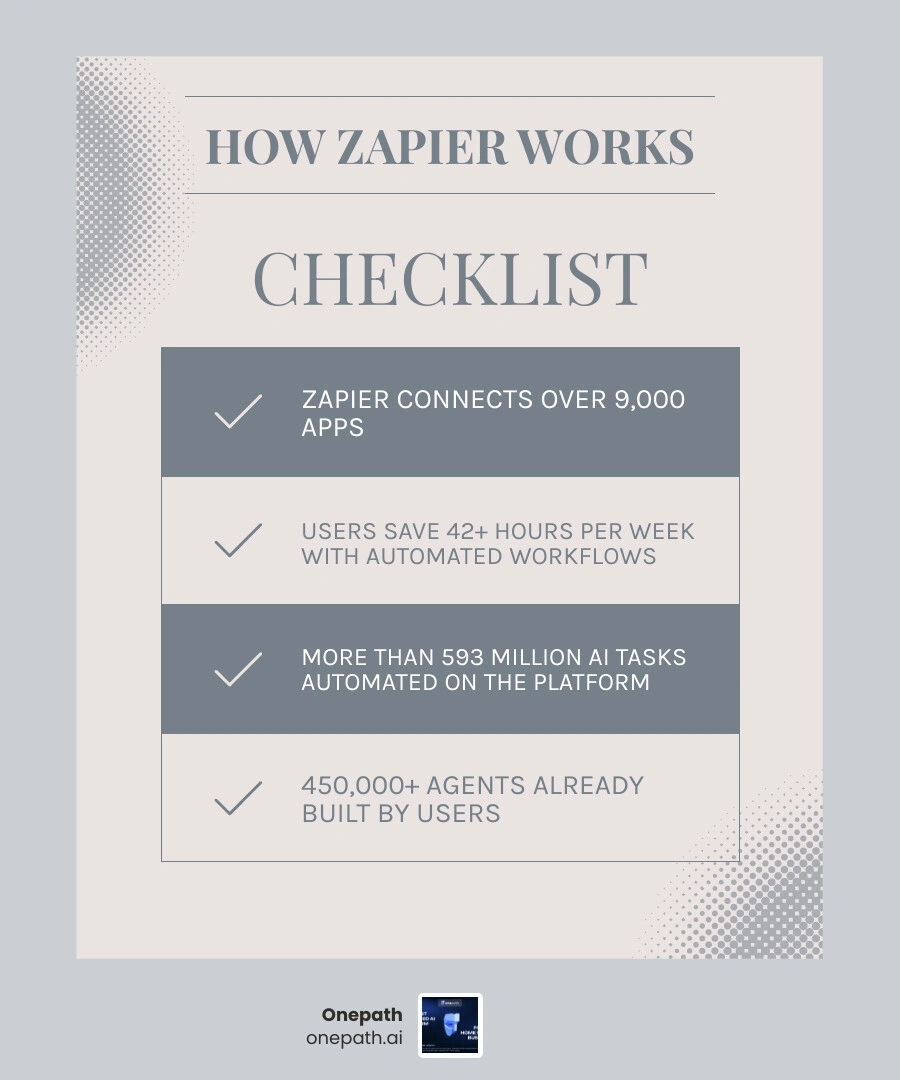
Zapier automation integration connects your business apps so they work together automatically — no coding required. Here's what you need to know at a glance:
• What it is: A no-code platform that links 9,000+ apps using triggers and actions
• How it works: When something happens in one app (a trigger), Zapier automatically does something in another (an action)
• Who it's for: Teams and business owners who want to eliminate repetitive manual tasks
• Key benefit: Users report saving 42+ hours per week through automated workflows
• AI capability: Connects AI tools like Claude and ChatGPT to real business systems with built-in governance
If you run a home service business, you already know the pain. A new lead comes in through a form, but it never makes it to your CRM. A customer books a job, but your team finds out too late. Data lives in five different places and none of them talk to each other. These aren't technology problems — they're workflow problems. And that's exactly what Zapier was built to solve.
With over 593 million AI tasks automated on the platform and more than 450,000 agents already built by users, Zapier has quietly become the connective tissue for how modern businesses operate. It turns disconnected tools into a single, coordinated system — without requiring a developer to make it happen.
Demystifying Zapier Automation Integration for Modern Businesses
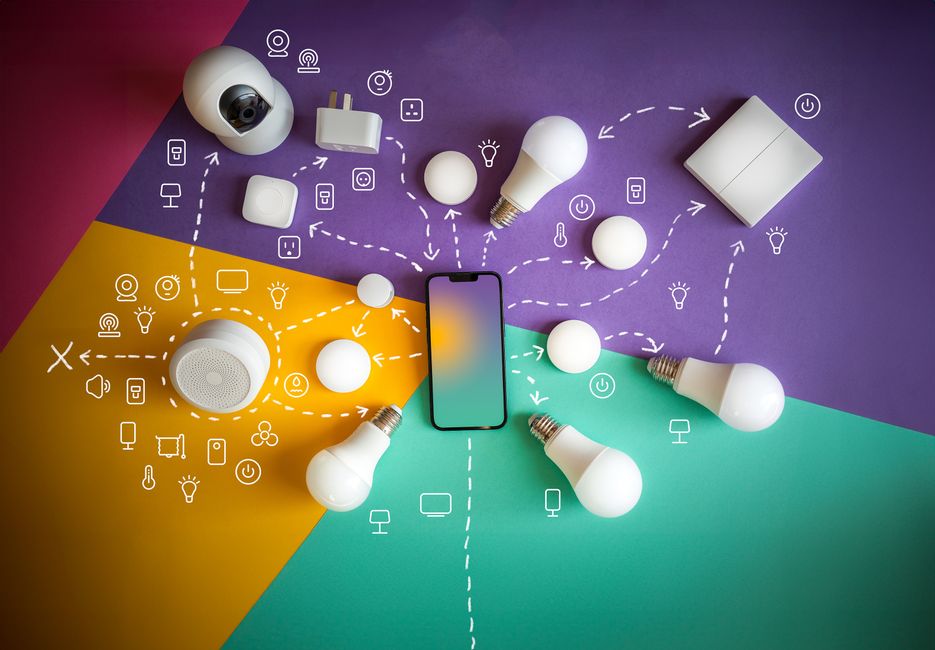
At its core, zapier automation integration acts as an interpreter between different software applications. Every piece of software uses an Application Programming Interface (API) to talk to the outside world, but building custom connections between these APIs is usually slow, expensive, and highly technical. Zapier acts as a universal adapter, letting you link these APIs together using a simple, visual drag-and-drop interface.

To build a workflow—known on the platform as a "Zap"—you only need to understand two fundamental concepts:
1. The Trigger: This is the event that starts the automation. For example, "A new lead submits a form on our website."
2. The Action: This is what Zapier does automatically after the trigger occurs. For example, "Send a text message to our team and create a contact in our CRM."
While simple, single-step Zaps are incredibly helpful, the real magic happens when you build multi-step Zaps. These allow a single trigger to kick off a whole chain of actions. You can add filters (only proceed if the lead is in our service area), paths (send residential leads to one team and commercial leads to another), and formatting steps (clean up phone numbers so they format correctly in your database).
The scale of what you can build is staggering. Zapier offers access to:
• 9,000+ app integrations with governed access.
• Over 66,000+ unique triggers and actions across those apps.
• A 99.9% uptime guarantee, meaning your business runs smoothly in the background 24/7.
For businesses bogged down by administrative overhead, the impact is immediate. On average, teams save 42+ hours per week by putting their busywork on autopilot. Whether you are routing leads, sending confirmation emails, or backing up files, automation turns individual tools into a single, cohesive operating system.
Connecting AI Assistants with Zapier MCP and SDK
As we navigate 2026, the conversation around automation has shifted from basic data transfer to intelligent action. It is no longer enough for your software to simply move data; we now expect AI to analyze that data and make decisions. Zapier bridges this gap by serving as the execution layer for major AI models like Claude, ChatGPT, and Cursor.
Through the Model Context Protocol (MCP) and the Zapier SDK, developers and teams can connect AI assistants directly to business tools. Instead of just chatting with an AI model in a closed sandbox, you can give that AI model the power to take real-world actions—like checking a calendar, updating a spreadsheet, or sending a Slack message—across 9,000+ apps.
How to Connect AI Assistants via Zapier Automation Integration
Setting up these connections is remarkably straightforward, allowing you to turn standard LLMs into action-oriented agents.
Connecting Claude via MCP
To connect Claude to your business apps using Zapier's MCP, you do not need to write complex API integrations.
1. Open a new conversation in Claude.
2. Paste the provided Zapier MCP connection prompt into the chat window.
3. Follow the on-screen instructions to install the connector and run the onboarding skill.
4. Authenticate your Zapier account when prompted, granting Claude permission to securely access your selected tools.
Connecting ChatGPT
For ChatGPT, the process leverages developer mode:
1. Turn on developer mode in your ChatGPT settings.
2. Create a new custom connector using the designated Zapier connector URL.
3. Log in to your Zapier account to establish a secure handshake.
4. Run the onboarding prompt to map out which tools and actions you want ChatGPT to have access to.
Using the Zapier SDK
For developers looking to build custom coding agents, the Zapier SDK (currently in Beta) offers complete programmatic control. You can install it via npm:
Using the Zapier SDK CLI, developers can log in, run terminal commands to explore available apps, and build highly customized AI-driven workflows that inherit Zapier's secure authentication layer.
Building and Governing AI Agents with Zapier Automation Integration
Once connected, you can build autonomous AI agents that run in the background. Unlike static workflows that follow rigid "if-this-then-that" rules, an AI agent can interpret unstructured data and decide the best course of action.
For example, when a customer sends an email:
• The AI agent reads the email to understand the sentiment and intent.
• It qualifies the lead based on your specific business rules.
• It automatically routes a support ticket to the right department or drafts a personalized response.
Of course, giving AI the power to take actions in the real world requires strict guardrails. Zapier provides a centralized platform to manage model access, set up permissions, and monitor exactly what your AI agents are doing. This ensures your team can build fast with AI while keeping your business operations completely safe and controlled.
Enterprise-Grade Security, Governance, and Scalability
When you connect your core business tools to an automation platform, security cannot be an afterthought. This is especially true when AI models are interacting with customer data. Zapier is built with enterprise-grade security protocols designed to give IT departments peace of mind while giving teams the freedom to build.
• Strict Compliance Standards: Zapier maintains SOC 2 Type II and SOC 3 compliance, and fully adheres to GDPR and CCPA regulations. Your data is encrypted both in transit and at rest.
• One Unified Auth Layer: Instead of hardcoding API keys or sharing credentials across multiple tools, Zapier acts as a single secure authentication layer. You manage permissions in one central place.
• Granular Platform Controls: Administrators can set up single sign-on (SSO), manage user provisioning via SCIM, and establish clear guardrails. You can approve specific apps for team use while blocking others.
• AI Model Opt-Out: To protect your intellectual property, Zapier includes a model training opt-out feature. This ensures that any business data processed through your AI steps is never used to train public models.
• Intelligent Throttling and Error Recovery: When high volumes of data pass through your workflows, Zapier's runtime automatically handles retries, rate limits, and API errors, keeping your systems running without manual intervention.
• A Single Audit Trail: Every single action taken by an employee, an automated Zap, or an AI agent is recorded in a centralized audit log. You always have full visibility into who did what and when.
Practical Automation Examples Across Business Teams
To help you visualize how zapier automation integration can transform your day-to-day operations, let's look at some practical comparisons between traditional manual workflows and automated Zaps.
• Sales & Lead Gen — Manual Workflow (The Slow Way): Copying leads from Facebook Ads into a CRM; manually texting them hours later. — Automated Zap (The Fast Way): Trigger: New Lead in Facebook AdsAction: Create contact in CRM + send instant SMS notification. — Key Business Impact: 87% reduction in lead errors and lightning-fast response times.
• Customer Support — Manual Workflow (The Slow Way): Checking a support inbox, copying details to a spreadsheet, and assigning tasks. — Automated Zap (The Fast Way): Trigger: New Support EmailAction: AI summarizes ticket, posts in Slack, and creates a task in your PM tool. — Key Business Impact: Faster response times and organized, prioritized support queues.
• Marketing — Manual Workflow (The Slow Way): Manually publishing blog updates to social media channels one by one. — Automated Zap (The Fast Way): Trigger: New Blog Post PublishedAction: AI generates social captions and cross-posts to Slack, Facebook, and LinkedIn. — Key Business Impact: Consistent brand presence with zero manual publishing effort.
• Human Resources — Manual Workflow (The Slow Way): Manually tracking job applicants in an inbox and sending scheduling links. — Automated Zap (The Fast Way): Trigger: New Application ReceivedAction: Add candidate to tracking sheet + email them a scheduling link automatically. — Key Business Impact: 37% increase in recruiting efficiency and a better candidate experience.
If you want to see how these automated workflows apply to local lead generation and customer review platforms, check out our Yelp Zapier Integration Complete Guide to learn how to sync reviews and customer queries directly with your primary business systems.
Frequently Asked Questions About Zapier Integrations
How do I connect Claude to Zapier using MCP?
Connecting Claude to Zapier via the Model Context Protocol (MCP) allows your AI assistant to read, write, and interact with your other business tools. To set this up:
1. Open Claude and paste the official Zapier MCP connection prompt into your chat.
2. The prompt will guide you through installing the official Zapier connector.
3. Once the installation is authorized, run the onboarding skill within Claude to link your active Zapier account.
4. You can then instruct Claude to perform tasks like "Find the latest row in my Google Sheet" or "Send a Slack message to the team," and Claude will execute those actions via Zapier.
Can Zapier handle bidirectional data sync between CRMs and other tools?
Yes, Zapier is highly effective at creating bidirectional syncs, meaning data flows back and forth between two systems to keep them perfectly aligned. For example, if you update a customer's phone number in your CRM, Zapier can instantly update that same customer's record in your email marketing platform—and vice versa.
By utilizing webhook triggers, custom event tracking, and search steps, you can ensure that no matter which tool your team is looking at, they are seeing the exact same, up-to-date data. To see a practical example of this in action, take a look at our guide on Yelp Zapier Integration to see how we sync external customer touchpoints with internal databases.
What security features protect sensitive data in AI workflows?
Zapier employs multiple layers of security to protect sensitive information within automated AI workflows:
• Built-in Data Checks: Zapier can scan and intercept sensitive data (like credit card numbers or personal identification) before it is sent to an external AI model.
• Model Training Opt-Out: You can configure your integrations to ensure that none of the data passed through your workflows is used by third-party AI companies to train their models.
• Enterprise Controls: Administrators have full platform visibility, allowing them to restrict which AI models can be connected to company data and monitor every automated transaction in real-time.
Conclusion
Implementing a robust zapier automation integration strategy is one of the fastest ways to reduce manual workloads, eliminate human error, and give your team hours back every single week. By connecting your everyday tools to intelligent AI workflows, you transform your software from a collection of static databases into an active, automated workforce.
At Onepath, we know that managing leads, coordinating schedules, and keeping your systems in sync can feel like a full-time job. That is why we built our AI Lead Manager and all-in-one CRM specifically for home service businesses in the USA. We instantly respond to your leads, schedule appointments, and personalize customer interactions across every channel—ensuring you never lose a lead again.
With our rapid 72-hour setup, full customer journey visibility, and 24/7 human backup support, we handle the heavy lifting of running your business so you can focus on the work that matters. Ready to connect your lead generation and see how easy automation can be? Explore our onepath.ai/yelp-zapier-integration guide or reach out to us today to kickstart your business's automation journey.
Why Zapier Automation Integration Is a Game-Changer for Growing Businesses
Zapier automation integration connects your business apps so they work together automatically — no coding required. Here's what you need to know at a glance:
- What it is: A no-code platform that links 9,000+ apps using triggers and actions
- How it works: When something happens in one app (a trigger), Zapier automatically does something in another (an action)
- Who it's for: Teams and business owners who want to eliminate repetitive manual tasks
- Key benefit: Users report saving 42+ hours per week through automated workflows
- AI capability: Connects AI tools like Claude and ChatGPT to real business systems with built-in governance
If you run a home service business, you already know the pain. A new lead comes in through a form, but it never makes it to your CRM. A customer books a job, but your team finds out too late. Data lives in five different places and none of them talk to each other. These aren't technology problems — they're workflow problems. And that's exactly what Zapier was built to solve.
With over 593 million AI tasks automated on the platform and more than 450,000 agents already built by users, Zapier has quietly become the connective tissue for how modern businesses operate. It turns disconnected tools into a single, coordinated system — without requiring a developer to make it happen.
Demystifying Zapier Automation Integration for Modern Businesses
At its core, zapier automation integration acts as an interpreter between different software applications. Every piece of software uses an Application Programming Interface (API) to talk to the outside world, but building custom connections between these APIs is usually slow, expensive, and highly technical. Zapier acts as a universal adapter, letting you link these APIs together using a simple, visual drag-and-drop interface.
To build a workflow—known on the platform as a "Zap"—you only need to understand two fundamental concepts:
- The Trigger: This is the event that starts the automation. For example, "A new lead submits a form on our website."
- The Action: This is what Zapier does automatically after the trigger occurs. For example, "Send a text message to our team and create a contact in our CRM."
While simple, single-step Zaps are incredibly helpful, the real magic happens when you build multi-step Zaps. These allow a single trigger to kick off a whole chain of actions. You can add filters (only proceed if the lead is in our service area), paths (send residential leads to one team and commercial leads to another), and formatting steps (clean up phone numbers so they format correctly in your database).
The scale of what you can build is staggering. Zapier offers access to:
- 9,000+ app integrations with governed access.
- Over 66,000+ unique triggers and actions across those apps.
- A 99.9% uptime guarantee, meaning your business runs smoothly in the background 24/7.
For businesses bogged down by administrative overhead, the impact is immediate. On average, teams save 42+ hours per week by putting their busywork on autopilot. Whether you are routing leads, sending confirmation emails, or backing up files, automation turns individual tools into a single, cohesive operating system.
Connecting AI Assistants with Zapier MCP and SDK
As we navigate 2026, the conversation around automation has shifted from basic data transfer to intelligent action. It is no longer enough for your software to simply move data; we now expect AI to analyze that data and make decisions. Zapier bridges this gap by serving as the execution layer for major AI models like Claude, ChatGPT, and Cursor.
Through the Model Context Protocol (MCP) and the Zapier SDK, developers and teams can connect AI assistants directly to business tools. Instead of just chatting with an AI model in a closed sandbox, you can give that AI model the power to take real-world actions—like checking a calendar, updating a spreadsheet, or sending a Slack message—across 9,000+ apps.
How to Connect AI Assistants via Zapier Automation Integration
Setting up these connections is remarkably straightforward, allowing you to turn standard LLMs into action-oriented agents.
Connecting Claude via MCP
To connect Claude to your business apps using Zapier's MCP, you do not need to write complex API integrations.
- Open a new conversation in Claude.
- Paste the provided Zapier MCP connection prompt into the chat window.
- Follow the on-screen instructions to install the connector and run the onboarding skill.
- Authenticate your Zapier account when prompted, granting Claude permission to securely access your selected tools.
Connecting ChatGPT
For ChatGPT, the process leverages developer mode:
- Turn on developer mode in your ChatGPT settings.
- Create a new custom connector using the designated Zapier connector URL.
- Log in to your Zapier account to establish a secure handshake.
- Run the onboarding prompt to map out which tools and actions you want ChatGPT to have access to.
Using the Zapier SDK
For developers looking to build custom coding agents, the Zapier SDK (currently in Beta) offers complete programmatic control. You can install it via npm:
Using the Zapier SDK CLI, developers can log in, run terminal commands to explore available apps, and build highly customized AI-driven workflows that inherit Zapier's secure authentication layer.
Building and Governing AI Agents with Zapier Automation Integration
Once connected, you can build autonomous AI agents that run in the background. Unlike static workflows that follow rigid "if-this-then-that" rules, an AI agent can interpret unstructured data and decide the best course of action.
For example, when a customer sends an email:
- The AI agent reads the email to understand the sentiment and intent.
- It qualifies the lead based on your specific business rules.
- It automatically routes a support ticket to the right department or drafts a personalized response.
Of course, giving AI the power to take actions in the real world requires strict guardrails. Zapier provides a centralized platform to manage model access, set up permissions, and monitor exactly what your AI agents are doing. This ensures your team can build fast with AI while keeping your business operations completely safe and controlled.
Enterprise-Grade Security, Governance, and Scalability
When you connect your core business tools to an automation platform, security cannot be an afterthought. This is especially true when AI models are interacting with customer data. Zapier is built with enterprise-grade security protocols designed to give IT departments peace of mind while giving teams the freedom to build.
- Strict Compliance Standards: Zapier maintains SOC 2 Type II and SOC 3 compliance, and fully adheres to GDPR and CCPA regulations. Your data is encrypted both in transit and at rest.
- One Unified Auth Layer: Instead of hardcoding API keys or sharing credentials across multiple tools, Zapier acts as a single secure authentication layer. You manage permissions in one central place.
- Granular Platform Controls: Administrators can set up single sign-on (SSO), manage user provisioning via SCIM, and establish clear guardrails. You can approve specific apps for team use while blocking others.
- AI Model Opt-Out: To protect your intellectual property, Zapier includes a model training opt-out feature. This ensures that any business data processed through your AI steps is never used to train public models.
- Intelligent Throttling and Error Recovery: When high volumes of data pass through your workflows, Zapier's runtime automatically handles retries, rate limits, and API errors, keeping your systems running without manual intervention.
- A Single Audit Trail: Every single action taken by an employee, an automated Zap, or an AI agent is recorded in a centralized audit log. You always have full visibility into who did what and when.
Practical Automation Examples Across Business Teams
To help you visualize how zapier automation integration can transform your day-to-day operations, let's look at some practical comparisons between traditional manual workflows and automated Zaps.
| Department | Manual Workflow (The Slow Way) | Automated Zap (The Fast Way) | Key Business Impact |
|---|---|---|---|
| Sales & Lead Gen | Copying leads from Facebook Ads into a CRM; manually texting them hours later. | Trigger: New Lead in Facebook Ads Action: Create contact in CRM + send instant SMS notification. | 87% reduction in lead errors and lightning-fast response times. |
| Customer Support | Checking a support inbox, copying details to a spreadsheet, and assigning tasks. | Trigger: New Support Email Action: AI summarizes ticket, posts in Slack, and creates a task in your PM tool. | Faster response times and organized, prioritized support queues. |
| Marketing | Manually publishing blog updates to social media channels one by one. | Trigger: New Blog Post Published Action: AI generates social captions and cross-posts to Slack, Facebook, and LinkedIn. | Consistent brand presence with zero manual publishing effort. |
| Human Resources | Manually tracking job applicants in an inbox and sending scheduling links. | Trigger: New Application Received Action: Add candidate to tracking sheet + email them a scheduling link automatically. | 37% increase in recruiting efficiency and a better candidate experience. |
If you want to see how these automated workflows apply to local lead generation and customer review platforms, check out our Yelp Zapier Integration Complete Guide to learn how to sync reviews and customer queries directly with your primary business systems.
Frequently Asked Questions About Zapier Integrations
How do I connect Claude to Zapier using MCP?
Connecting Claude to Zapier via the Model Context Protocol (MCP) allows your AI assistant to read, write, and interact with your other business tools. To set this up:
- Open Claude and paste the official Zapier MCP connection prompt into your chat.
- The prompt will guide you through installing the official Zapier connector.
- Once the installation is authorized, run the onboarding skill within Claude to link your active Zapier account.
- You can then instruct Claude to perform tasks like "Find the latest row in my Google Sheet" or "Send a Slack message to the team," and Claude will execute those actions via Zapier.
Can Zapier handle bidirectional data sync between CRMs and other tools?
Yes, Zapier is highly effective at creating bidirectional syncs, meaning data flows back and forth between two systems to keep them perfectly aligned. For example, if you update a customer's phone number in your CRM, Zapier can instantly update that same customer's record in your email marketing platform—and vice versa.
By utilizing webhook triggers, custom event tracking, and search steps, you can ensure that no matter which tool your team is looking at, they are seeing the exact same, up-to-date data. To see a practical example of this in action, take a look at our guide on Yelp Zapier Integration to see how we sync external customer touchpoints with internal databases.
What security features protect sensitive data in AI workflows?
Zapier employs multiple layers of security to protect sensitive information within automated AI workflows:
- Built-in Data Checks: Zapier can scan and intercept sensitive data (like credit card numbers or personal identification) before it is sent to an external AI model.
- Model Training Opt-Out: You can configure your integrations to ensure that none of the data passed through your workflows is used by third-party AI companies to train their models.
- Enterprise Controls: Administrators have full platform visibility, allowing them to restrict which AI models can be connected to company data and monitor every automated transaction in real-time.
Conclusion
Implementing a robust zapier automation integration strategy is one of the fastest ways to reduce manual workloads, eliminate human error, and give your team hours back every single week. By connecting your everyday tools to intelligent AI workflows, you transform your software from a collection of static databases into an active, automated workforce.
At Onepath, we know that managing leads, coordinating schedules, and keeping your systems in sync can feel like a full-time job. That is why we built our AI Lead Manager and all-in-one CRM specifically for home service businesses in the USA. We instantly respond to your leads, schedule appointments, and personalize customer interactions across every channel—ensuring you never lose a lead again.
With our rapid 72-hour setup, full customer journey visibility, and 24/7 human backup support, we handle the heavy lifting of running your business so you can focus on the work that matters. Ready to connect your lead generation and see how easy automation can be? Explore our onepath.ai/yelp-zapier-integration guide or reach out to us today to kickstart your business's automation journey.
Boost Your Lead Conversions. Start Using Onepath Today.
Onepath is your AI Lead Manager, built by tech experts and home service pros. It responds instantly, schedules appointments, personalizes customer interactions, and ensures no lead slips through the cracks—backed by 24/7 human support.
[ Schedule Discovery call ].webp)